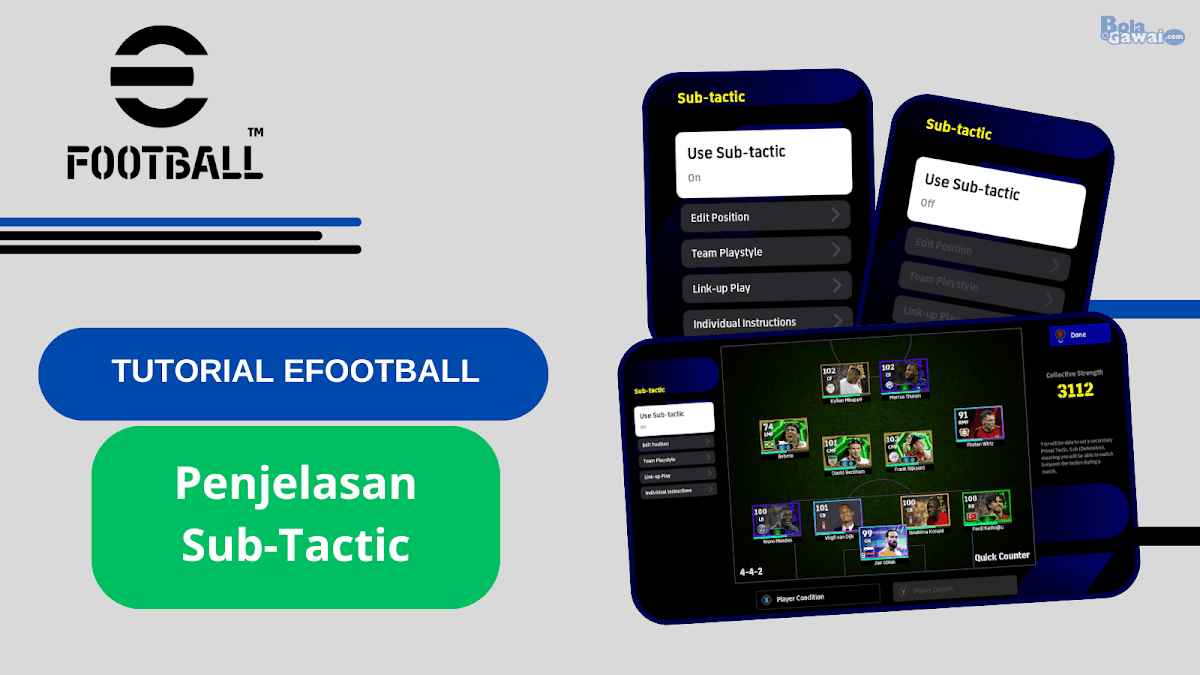
Complete explanation of Sub Tactics in eFootball 2026
So, to answer this question, in this article I will discuss the Sub Tactic feature in eFootball 2026.
See the full explanation below:
What is Sub-Tactic in eFootball?
If you were previously familiar with Fluid Formation in Pro Evolution Soccer (PES), this sub-tactic has almost the same function as Fluid Formation.
Sub-tactics are the second tactics that you can use after you have set the main tactics in the Game Plan. This sub-tactic will be applied by the players when the team is in the defensive phase.
So, Sub-tactics function as alternative tactics for defense that you can use and apply directly into the match without having to change or adjust the tactics manually again while the match is in progress.
How to Use Sub-Tactic in eFootball 2026
To use the Sub-Tactic feature in eFootball 2026 is very easy.
Below is how to use it:
- On the main Home menu in eFootball 2026, select a section My team
- Select a section Game Plan
- Select a section Tactics in the left panel of the top screen
- Select a section Sub-Tactics
- Select ‘On’ in the section Use Sub-tactics to activate the feature
As a result, you can use and adjust the Sub-tactic features according to your gaming tactical needs.
Sections in Sub-Tactic eFootball 2026
When you enter the display from the Sub-tactic menu, you will be shown several types of sections that you can adjust.
Parts include:
- Use Sub-tactics
- Edit Position
- Team Playing Style
- Link-up Play (If Manager Has Link-up Play)
- Individual Instruction
Use Sub-tactics
In this section you will be given two options, namely ON and OFF.
If you select ON then this will activate the Sub-tactic feature in eFootball. Later, sections such as Edit Position, Team Playstyle, Link-up Play, and Individual Instructions will open automatically.
On the other hand, if you Selecting OFF then Sub-tactic will be disabled and the four parts that I mentioned above will be closed so they cannot be used.
%20(1).png "Complete Explanation of Sub Tactics in eFootball 2026 - Use Sub-tactics")
Edit Position
In this section, you can adjust the positions of the players freely to form a formation pattern that you want to use.
The results of setting up this formation are what you will later use as defensive tactics in matches when facing your opponents in eFootball.
Therefore, make sure that the player positions you arrange are in accordance with the desired formation pattern for your game tactical needs.
Team Playing Style
In this section, you can determine the playing style that you want to apply to the Sub-tactic formation that you previously set.
There are 5 options that you can use in Team Playstyle, namely:
- Possession Game/Ball Control
- Quick Counter/Fast Counter Attack
- Long Ball Counter/Counter Attack
- Out Wide/Spreads to the Side
- Long Ball/Long Bait.
Even though there are 5 options that you can choose from, make sure you also choose a playing style that suits your manager’s Playstyle rating.
Play Link
This section is a special section for eFootball players who have managers with Link-up Play capabilities
So, if the manager you are using does not have Link-up Play capability then the Link-up Play display in Sub-tactics will not appear. (See image in Use Sub-tactic section)
Of course, you can also choose whether to activate Link-up Play or not later.
If you want to activate Link-up Play then you can select ON. If you don’t want to activate it, you can select OFF.
Incidentally, I have provided an article that discusses a complete explanation of Link-up Play on eFootball. You can read the article below:
Individual Instruction
In this section, you can set additional tactical instructions to support the formation that you set in the previous sub-tactic.
In Individual Instructions there are 2 types of additional tactical instructions that you can set, namely Attack and Defense.
Coincidentally, I have written an article explaining Individual Instructions in eFootball. You can read the article below:
Example of Sub-Tactic Application in the 2026 eFootball Match
Here I will share an example of the application of Sub-tactics in the 2026 eFootball match.
First, I will use FC Tokyo as the Base Team in my Game Plan.
Then, I will use the 4-2-1-3 Quick Counter formation pattern as the basic formation using the Link-up Play version of the Xabi Alonso manager.
This basic formation will later be applied by the players during the attacking phase.
Here’s an overview of the formation below:
%20(1).png "Example of Sub-Tactic Application in eFootball 2026 Match - Basic Formation (Attack)")
Next, I will activate the Sub-tactic feature and set the formation pattern to 4-4-2 Quick Counter.
This sub-tactic formation will later be applied by the players during the defensive phase.
The following is an illustration of the formation pattern below:
%20(1).png "Example of Sub-Tactic Application in the 2026 eFootball Match - Sub-Tactic Formation (Defensive)")
Now we will enter the match by trying to see the application of the Sub-Tactic formation settings that I previously set.
Below is a visual of the match when the players are implementing the basic formation pattern 4-2-1-3 as an attacking formation.
%20(1).png "Example of Sub-Tactic Application in the 2026 eFootball Match - Visual of the Basic Formation 4-2-1-3 Quick Counter from FC Tokyo")
The picture I provided above shows that the FC Tokyo players are in control of the ball. In the ball possession (attacking) phase, the players will form a basic 4-2-1-3 formation pattern.
Then, when the FC Tokyo players are not in control of the ball (defending) they will form a 4-4-2 (Sub-tactic) formation pattern which you can visually see below:
%20(1).png "Example of Sub-Tactic Application in the 2026 eFootball Match - Visual of FC Tokyo's 4-4-2 Quick Counter Sub Tactic Formation")
Even though you don’t need to change the formation and tactics again in the match when applying Sub-tactics, you still need to activate the Sub-tactics manually so that the formation you have previously set can run in the match.
So how?
So here it is,
If you want to use game tactics in a match by applying the Basic Formation as the tactic that will be played by your players then you can press the button TO THE TOP on the D-pad on your controller. Later an image display will appear in the form of the words ‘Attacking/Attack.’
If you want to use game tactics in a match by implementing the Sub-Tactic Formation as a tactic that will be played by your players then you can press the button DOWN on the D-pad on your controller. Later an image display will appear in the form of the words ‘Defensive/Defensive.’
For more details, you can see the picture below:
%20(1)%20(1).png "Example of Applying Sub-Tactic in the 2026 eFootball Match - D-Pad button to activate Attacking and Defensive from Sub-Tactic")
Cover
We have finished discussing the article regarding Complete explanation of Sub Tactics in eFootball 2026 this time.
My hope is that with this article you can understand and use the Sub-tactic feature in eFootball 2026.
Also read other interesting articles from us:
If you have further questions, you can use the comments column feature which is available at the bottom of this article.
Thank you for reading this article
PakarPBN
A Private Blog Network (PBN) is a collection of websites that are controlled by a single individual or organization and used primarily to build backlinks to a “money site” in order to influence its ranking in search engines such as Google. The core idea behind a PBN is based on the importance of backlinks in Google’s ranking algorithm. Since Google views backlinks as signals of authority and trust, some website owners attempt to artificially create these signals through a controlled network of sites.
In a typical PBN setup, the owner acquires expired or aged domains that already have existing authority, backlinks, and history. These domains are rebuilt with new content and hosted separately, often using different IP addresses, hosting providers, themes, and ownership details to make them appear unrelated. Within the content published on these sites, links are strategically placed that point to the main website the owner wants to rank higher. By doing this, the owner attempts to pass link equity (also known as “link juice”) from the PBN sites to the target website.
The purpose of a PBN is to give the impression that the target website is naturally earning links from multiple independent sources. If done effectively, this can temporarily improve keyword rankings, increase organic visibility, and drive more traffic from search results.
