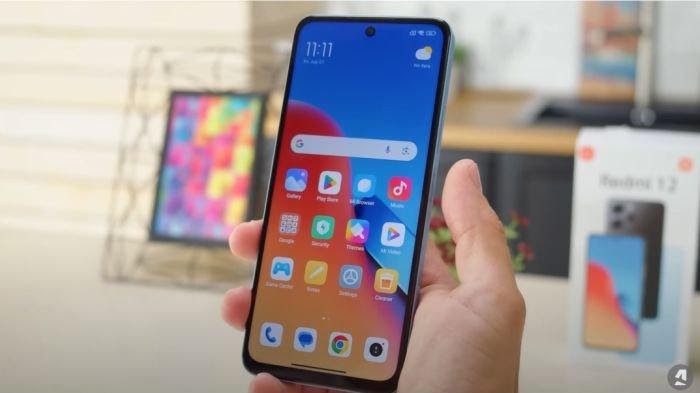
How to remove ads on all redmi cellphones> examples of blogs
HP Redmi or Xiaomi can indeed display advertisements, both in the default application and on the system. How do I get rid of ads on Redmi’s cellphone?
Ads on this Redmi cellphone often appear as part of marketing strategies, especially in free applications and services. However, there are several ways to eliminate or reduce annoying advertisements on Redmi’s cellphone.
The cause of advertising appears on Redmi’s cellphone
1. Default application
Some default applications such as Getapps, Mi Browser, Mi Music, and Mi Video often display advertisements.
2. MIUI System
The MIUI operating system can also display advertisements, especially through the MIUI System Ads (MSA) service.
3. Third Party Application
Applications downloaded from outside the official application store can also be a source of advertising. According to various sources, advertisements that appear on Redmi’s cellphone are indeed one of the factors that help maintain the price of Redmi cellphones remain affordable.
Xiaomi uses a business model that combines income from advertising with device sales, so they can offer more competitive prices.
Xiaomi inserts advertisements in several default applications and system services on Redmi HP. This ad can be a banner, video, or pop-up.
With the revenue from advertising, Xiaomi can reduce production costs and offer Redmi HP at a cheaper price compared to other brands that do not rely too much on advertising.
So, even though advertising may be a little annoying, its existence does help Xiaomi maintain the affordable price of Redmi cellphones.
How to remove ads on all redmi cellphones
To eliminate ads on Redmi cellphones, there are several steps that you can try, including deactivating ad service, turning off ads on default applications such as Mi Browser, and adjusting ad privacy in Google settings. Here are some of the detailed ways:
1. Disable ad service (ad services)
- Open settings (settings) on your Redmi cellphone.
- Select password & security (passwords & security).
- Choose privacy (privacy).
- Find and select Advertising Services (Ad Services).
- Disable a personalized ad recommendation (Personalized Ad Recommendations) by shifting the button to the left.
2. Disable MSA (MIUI System Ads)
- Open settings (settings).
- Select password & security (passwords & security).
- Select Authorization & Revocation.
- Find and select MSA (MIUI System Ads).
- Disable by shifting the button to the left. Wait 10 seconds until the “pull out” option appears, then tap to deactivate.
3. Setting Ad privacy on Google
- Open Settings (Settings) on your Redmi Hp
- Select Google
- Select Ads (Ads)
- Choose Ad Privacy (Ad Privacy)
- Activate or deactivate Allow advertisements recommended applications (Allow Apps to Suggest Ads).
4. Disable advertisements in the default application
- Mi Browser: Open MI Browser, Open Settings, Choose Privacy & Security, and Disable the Optics related to Ads.
- My video: Open the Mi Video application, open settings, and disable the options related to advertisements.
- Mi Music: Open the Mi Music application, open settings, and deactivate options related to advertising.
- Getapps: Open Settings> Password & Security> Authorization & Revocation> BETAPPS, and disable.
By following these steps, you can reduce or eliminate advertisements that appear on your Redmi cellphone.
How, successful? Share in the comments column!
Game Center
Game News
Review Film
Rumus Matematika
Anime Batch
Berita Terkini
Berita Terkini
Berita Terkini
Berita Terkini
review anime
Gaming Center